
3-D Printing
-
I'm pretty sure I've seen some of you do 3-D printing before. I have a couple projects on the e30 I'd like to do and would need to create some objects (relatively simple) to make them happen. I've always thought having a 3D printer would be a beneficial tool to have anyway. I've found some good entry level printers and I'm not concerned about that.
I've read about all of the software programs that are available and I'm wondering those that have a 3D printer, are the design programs relatively easy to get the hang of? I have used sketch up a lot at work creating 3D renderings of parks, downtown, buildings, my house, my garage, etc. I've used it to design our fireplace, shelving units, a closet, etc. I'm hoping if I have a good grasp on that, then transition into something like freeCAD wouldn't be too difficult.
Any input or advice would be appreciated!
-
I don't have anything to add but I'm also planning to pick up a printer fairly soon as I keep finding more and more uses for one. I have free-reign of the printers at my work but it would be really nice to have my own as those are almost constantly in use. I would be very interested to hear what people use for free or 'low cost' CAD options.
-
I don't have anything to add but I'm also planning to pick up a printer fairly soon as I keep finding more and more uses for one. I have free-reign of the printers at my work but it would be really nice to have my own as those are almost constantly in use. I would be very interested to hear what people use for free or 'low cost' CAD options.
My brief detective work the past few days led me to tinkerCAD and freeCAD. I've been messing around with tinkerCAD and it's relatively annoying to get a hang of because it's simplicity makes it almost harder when I'm used to all the various tools in Sketch Up. Unfortunately I only have a Chromebook and freeCAD is only available on Windows and Mac.
Either way, it's been really interesting to reading about it and learning the various programs that are needed and how they all work together. I'm likely going to order one today to start messing with.
-
I'm likely going to get one within the next 6months too. I know @Jeff used Fusion 360 at his machine shop and that's what I'm most familiar with from learning various Autodesk software in high school but the hobbyist license was severely limited about a year ago. If you become a member in the EAA you can get a solid works license for hobbyist use which is by far the best value anywhere but solid works is windows only. I'm not familiar with the chromeOS options are besides the online web apps like TinkerCAD.
-
I have a printer and use tinkercad most of the time. It's super simple to use for basic things, but lacks any enhanced tools. Fusion 360 seems to be a go to for most 3d printing folks. I'm sure with your knowledge of sketchup, you shouldn't have a hard time with any software you decide to use.
-
I'm likely going to get one within the next 6months too. I know @Jeff used Fusion 360 at his machine shop and that's what I'm most familiar with from learning various Autodesk software in high school but the hobbyist license was severely limited about a year ago. If you become a member in the EAA you can get a solid works license for hobbyist use which is by far the best value anywhere but solid works is windows only. I'm not familiar with the chromeOS options are besides the online web apps like TinkerCAD.
I'm finding with the Chromebook that almost any program I can use needs to be web-based. I played around in tinkerCAD this morning and was getting more familiar with it and it should be able to do most of what I would need out of a 3D printer.
I have a printer and use tinkercad most of the time. It's super simple to use for basic things, but lacks any enhanced tools. Fusion 360 seems to be a go to for most 3d printing folks. I'm sure with your knowledge of sketchup, you shouldn't have a hard time with any software you decide to use.
My wife has a mac that I'm sure I can use if I need to. Fusion 360 looks to have an app for Chromebook - albeit with terrible reviews. lol.
Sketch Up and tinkerCAD operate so differently and how you build something is almost opposite between the two. Sketchup you start with nothing and build out. tinkerCAD you start with a giant block and basically have to chisel away what you don't need. It was really frustrating at first.
Do you find that you use the printer for miscellaneous things that makes having one worth it?
-
I use Fusion 360 to design things because it comes free with my Tuition. Pay 14k a year and get a free program. Great.
I tried coming up with a joke, but I remember all the "free" subscriptions I had while in undergrad and graduate school and it's not funny.
After reading reviews and some 3D Printing sites I ordered the Creality Ender 3 V2 from Amazon. Supposedly a really good print quality and user friendly. I was able to create the things I want to make with arbitrary dimensions in tinkerCAD so I think this is going to be a fun project and allow me to make random things for the car or around the house - like chip bag clips and cock rings.
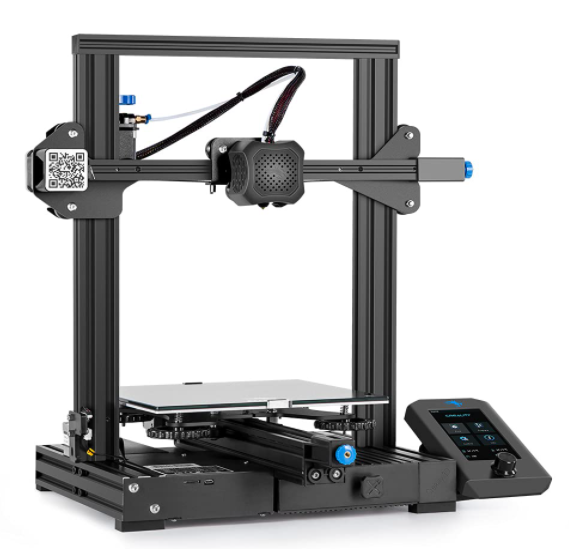
-
I think this is going to be a fun project and allow me to make random things for the car or around the house - like chip bag clips and cock rings.
I definitely missed that on the first read through haha
-
I have an ender 3 and I like it. If I start using it more Ill buy the pro.
Why not the Ender 3 V2?
I can't contribute too much to the software debate in regard to cost, but I use Catia V5/V6 depending on what I have open at the time. Thank you to my work for the licensing!
-
Creality makes good stuff. I got my daughter an Ender 5 for her B-day in october and she's been printing all kinds of stuff with it.
Regarding software, like GMG, I have SolidWorks, through work, so I'm not too familiar with the cheap/free stuff. The educational SW license you can get with an EAA membership, is the best deal out there. We did that for my son. Plus you get the magazine which is neat.
Make sure to research the different materials available, all kinds of neat stuff is out there now, some good, some bad. All have pros and cons.
-
Creality makes good stuff. I got my daughter an Ender 5 for her B-day in october and she's been printing all kinds of stuff with it.
Regarding software, like GMG, I have SolidWorks, through work, so I'm not too familiar with the cheap/free stuff. The educational SW license you can get with an EAA membership, is the best deal out there. We did that for my son. Plus you get the magazine which is neat.
Make sure to research the different materials available, all kinds of neat stuff is out there now, some good, some bad. All have pros and cons.
Thanks for the tips!
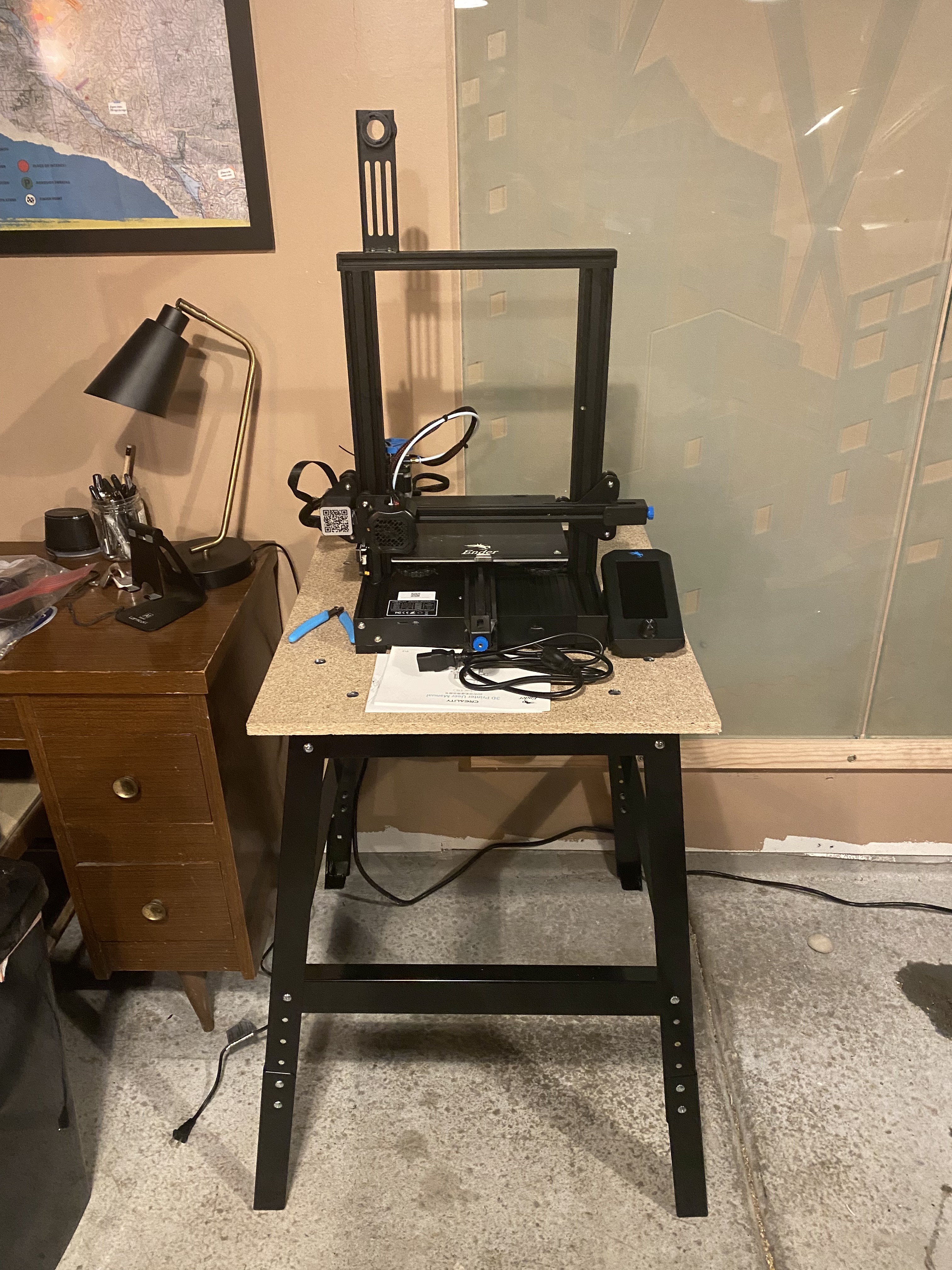
I got the Ender 3 V2 put together yesterday and did my first test print. Quickly learned about the different types of filaments and the importance of nozzle and bed temps after a few failed print attempts. I picked up a roll of PETG, apparently one of the harder filaments to use. But got it dialed in as I learned more about it and successfully printed a dog.
As I looked more into the available programs, it looks like I might need something other than a Chromebook. Either way. It's been fun to play with and look forward to continuing to learn more about it.
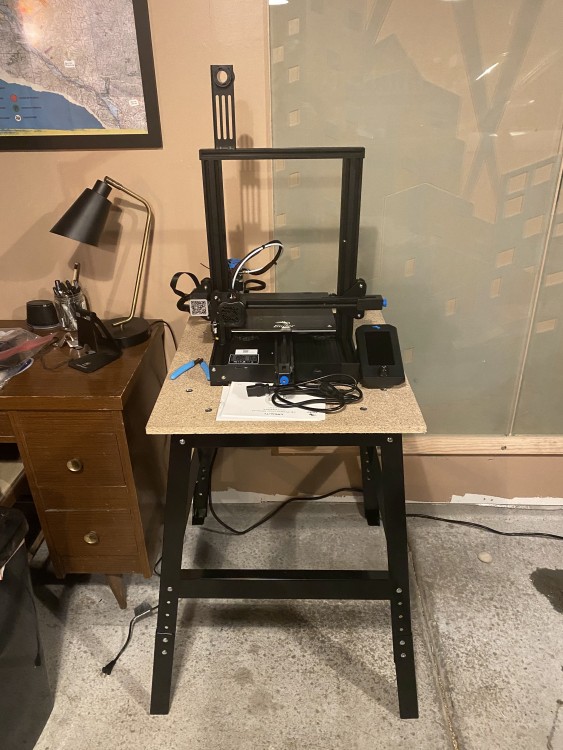
I ordered the Ender enclosure for it since it will be in the garage.
-
PETG is definitely a pain. PLA is the easiest and most forgiving material to print with....it is also one of the worst for making useable things ad it is not super hard, not very temp stable and not UV protected at all.
ABS is a little better, but smells horribly when printing and doesn't hold size very well.The cool thing is that there are a ton of people out there who have tried a ton of different things, so no one is reinventing the wheel at this point.
Also, if you are interested in a bed leveler, I have an extra available, the Creality BL touch. I also have an Ender-3 Silent Motherboard. They were gifts from other relatives for my daughter.....they were not paying attention to what I was getting.
-
The amount of resources available for 3D printing is awesome. And the Ender printers seem to have endless tutorials for them as well. My next step is to start diving into the actual slicing programs and understanding gcode.
I started looking at bed levelers, but read that the CR Touch seems to be a slight improvement over the BR and they're so cheap. But I'll probably play around with the printer some more before I dive into adding things to it - although the bed leveler seems like it would be a great addition sooner.
-
The bed levelers are basically a time saver. Messing around with manually leveling the bed can be a pain.
I'm in no rush to get rid of these, though I have reached out to creality if they will take them in exchange for spare parts or something for my ender 5. I don't have high hopes though. -
I think the bed leveler and improved springs are going to go on before I do more printing. As I do more reading that seems to be some improvements that make a lot of sense.
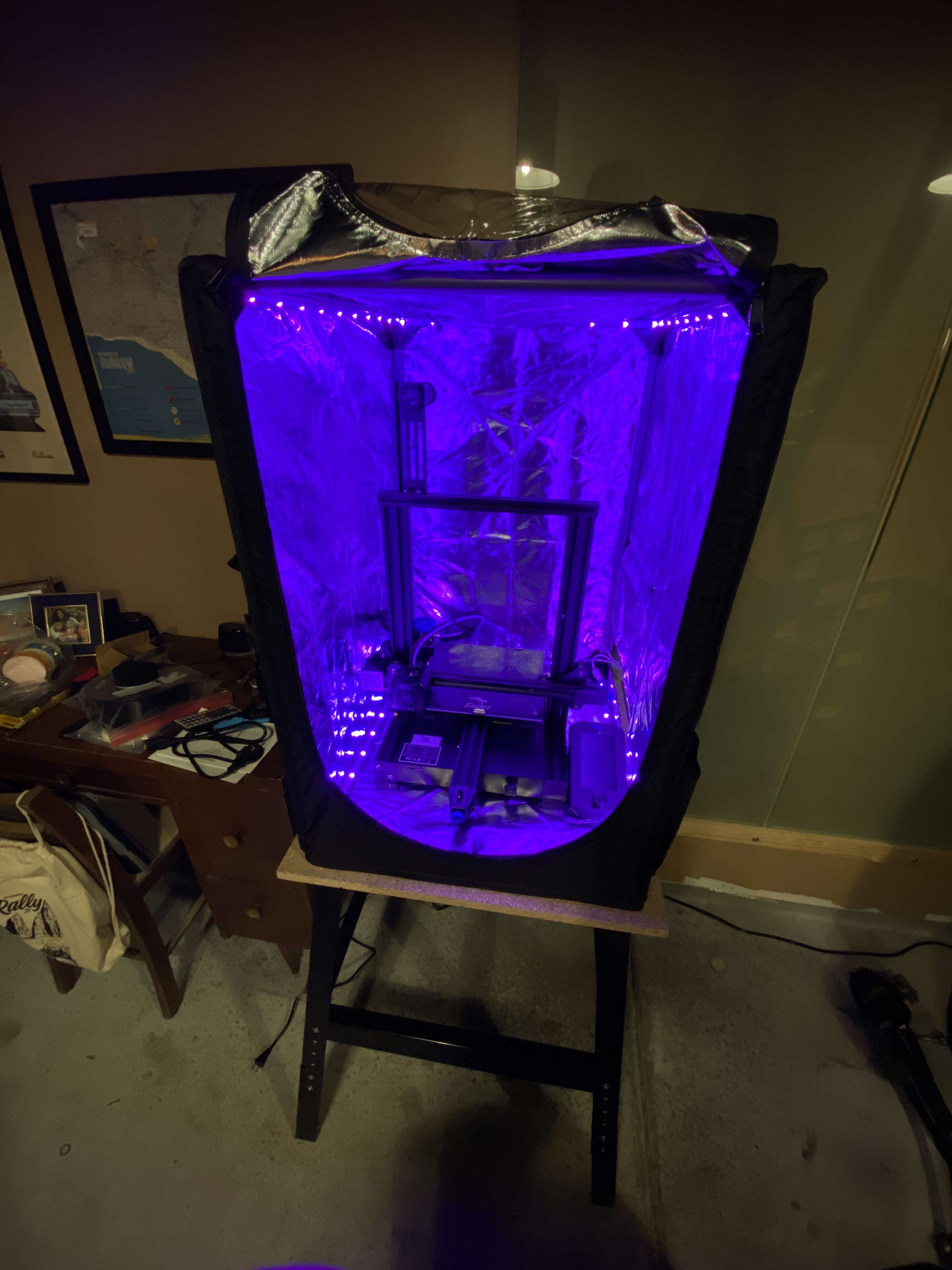
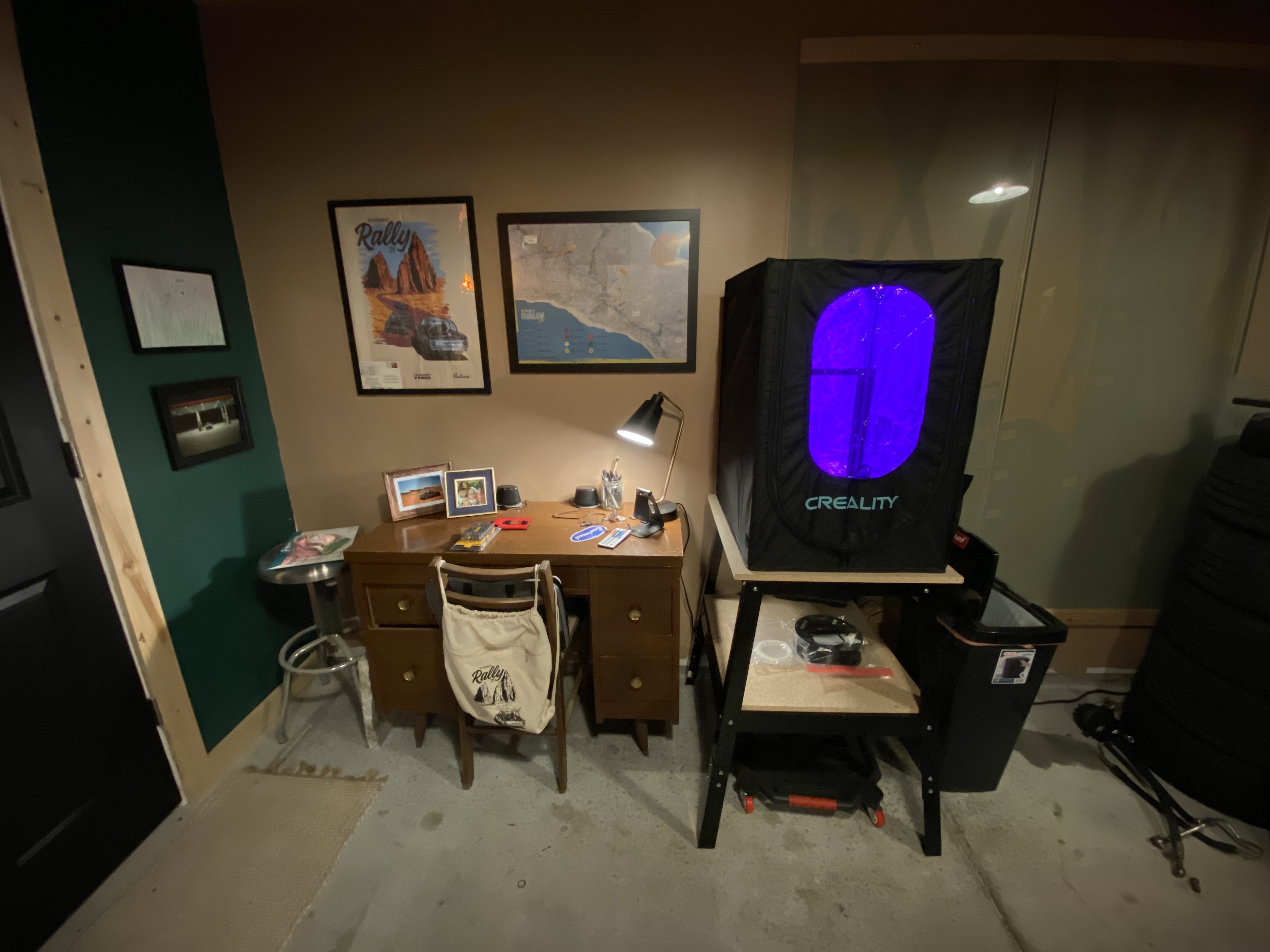
Got a little nerdy with the printer enclosure. Put in some cheap led strips. I wanted to have light in there to help see what it’s doing since I also plan on putting one of my spare Wyze cams in there so I can watch it when I’m not in the garage, but, it also looks neat.
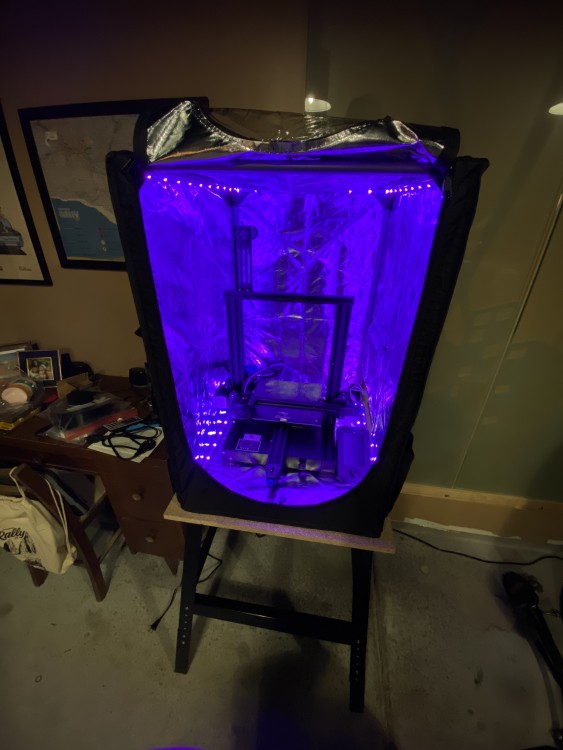
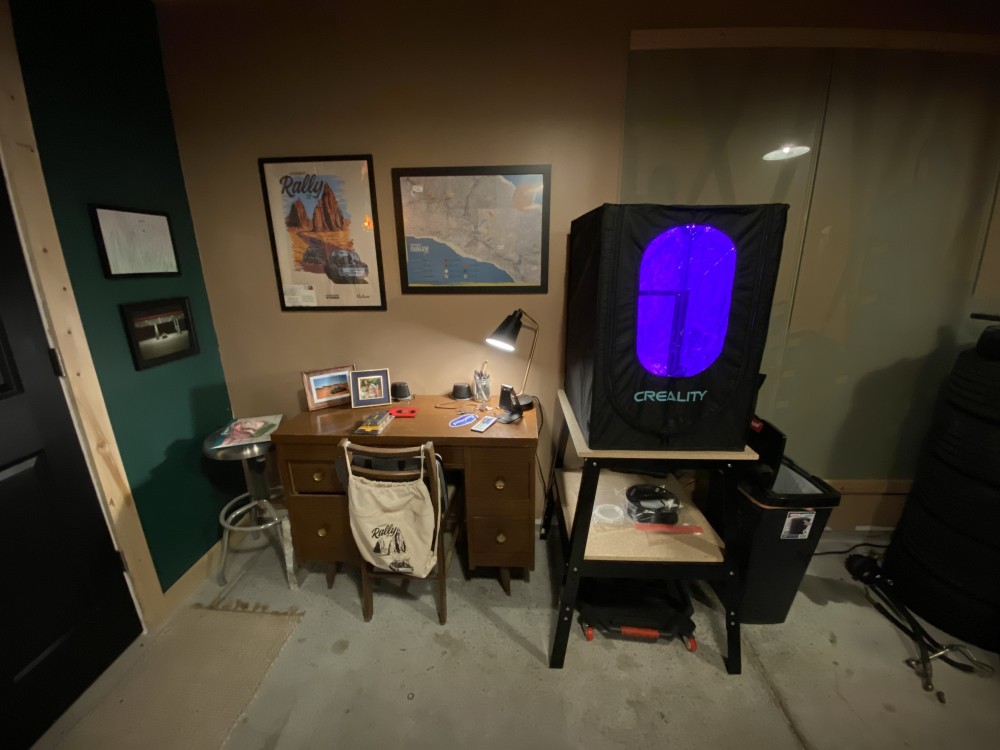
-
I placed an order for a Prusa MK3S+ kit, hopefully it doesn't take months to get here. I'm excited.
Looks like a very nice unit!
I received my new laptop last week and got a bed leveler and a roll of PLA filament today. I've been watching freeCAD tutorials in the mornings before work. Really excited to start playing with it. I have a couple pretty simple things I will try to make to get familiar with everything.
-
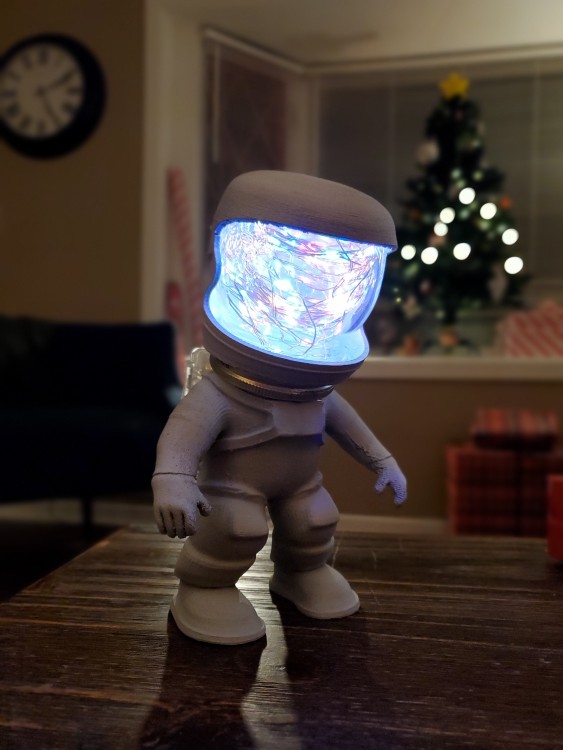
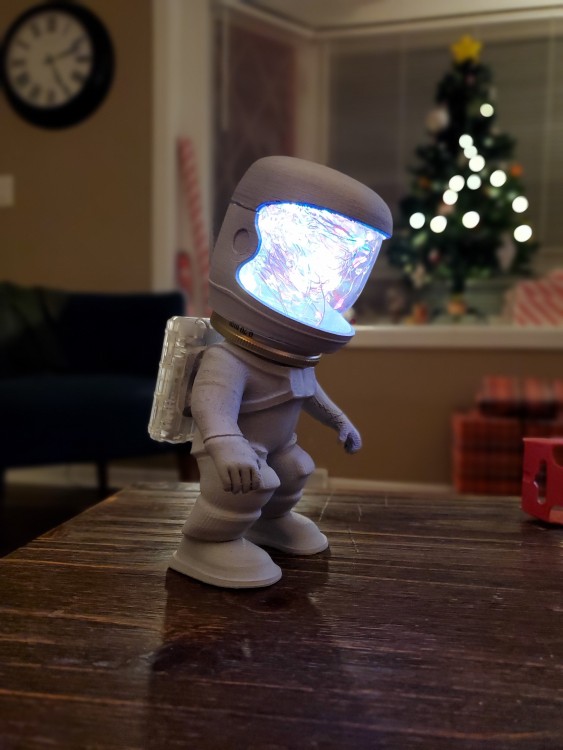
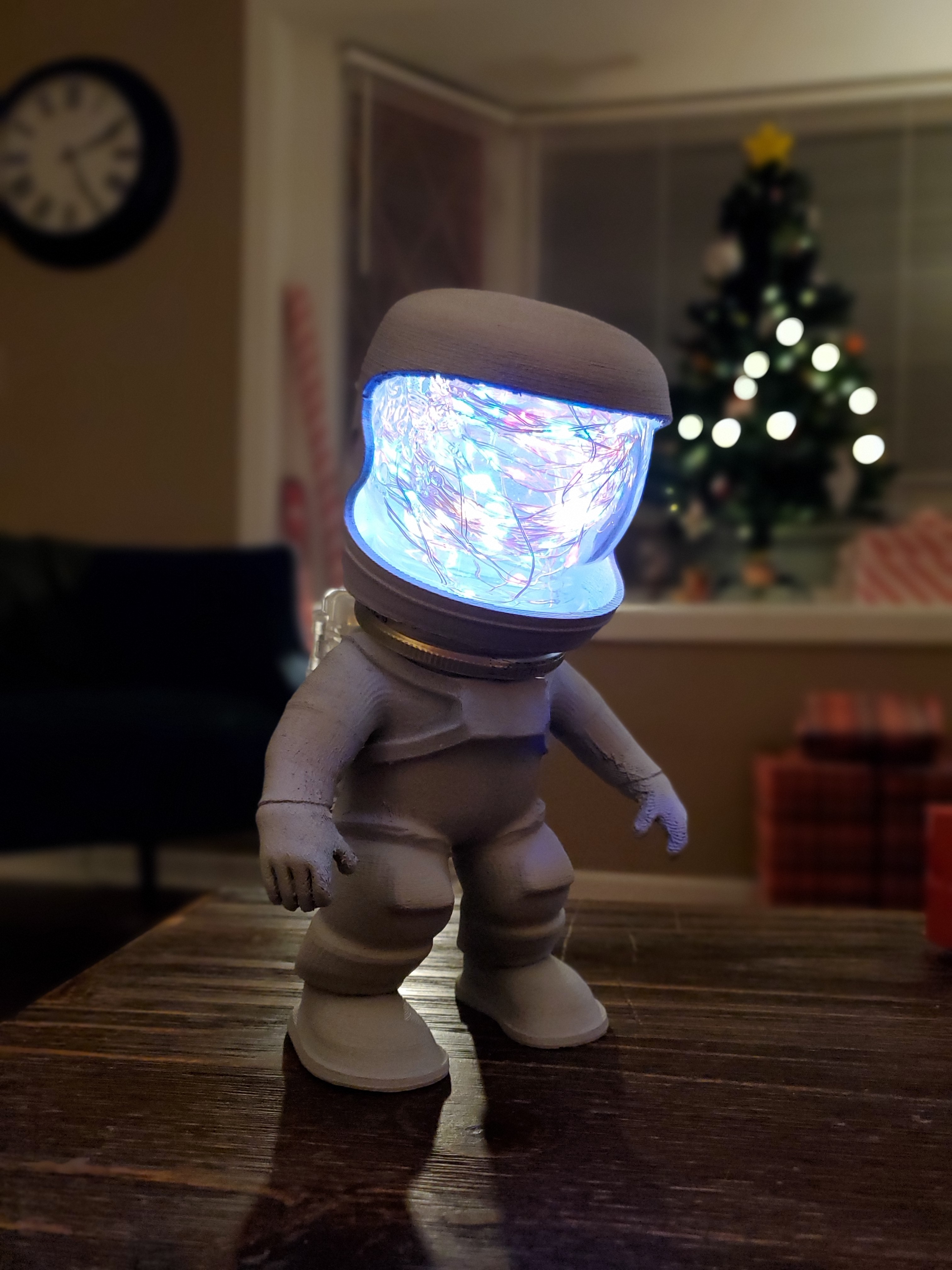
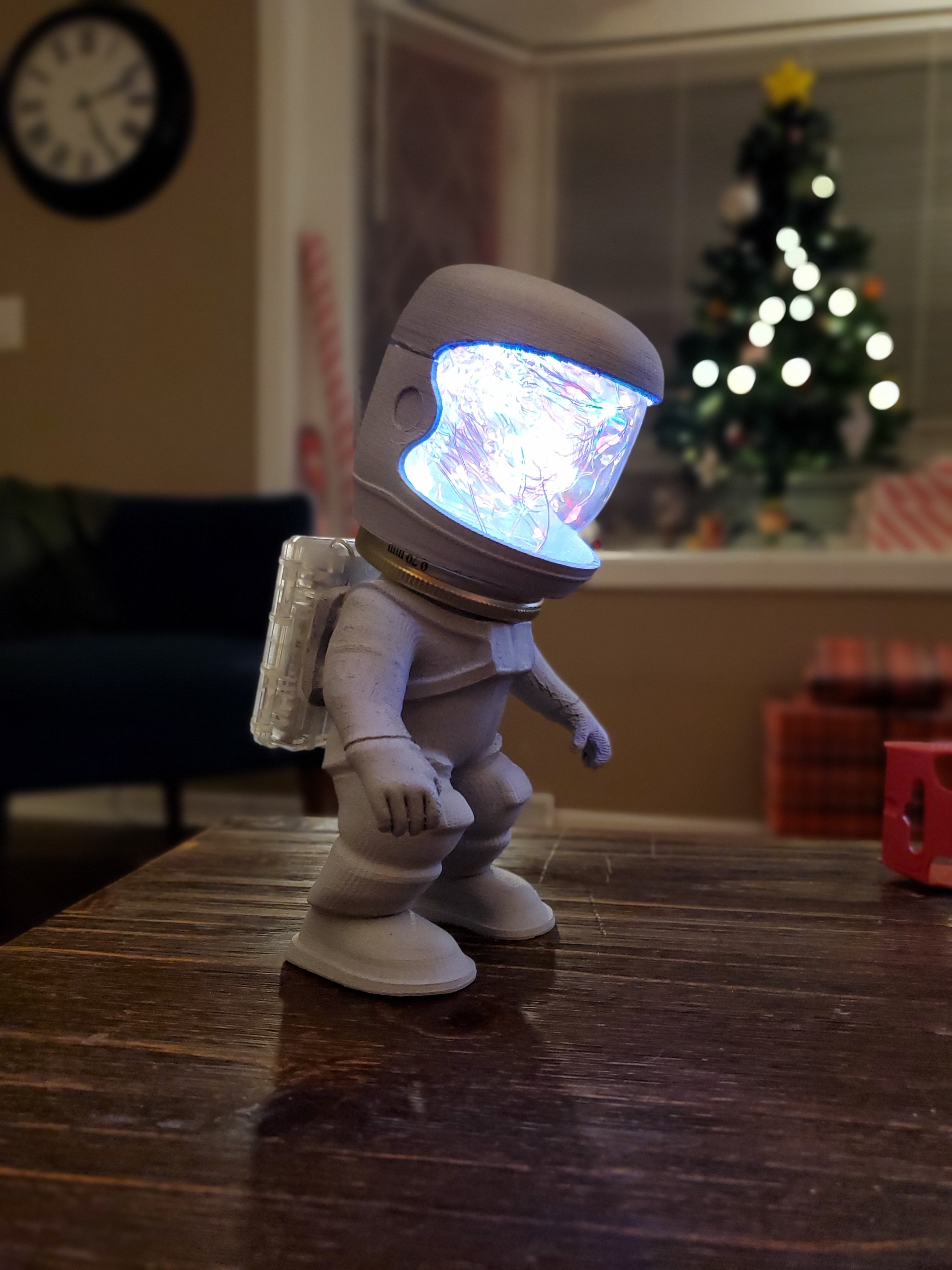
Latest gadget I made with my printer... Christmas gift for my niece. Lights have settings to interact with music or color change in different patterns. Astronaut was printed in 8 different pieces to make printing and assembly easier. Then adhered together with super glue.





Hello! It looks like you're interested in this conversation, but you don't have an account yet.
Getting fed up of having to scroll through the same posts each visit? When you register for an account, you'll always come back to exactly where you were before, and choose to be notified of new replies (either via email, or push notification). You'll also be able to save bookmarks and upvote posts to show your appreciation to other community members.
With your input, this post could be even better 💗
Register Login